
Uncategorized
Samsung Essential Monitor (LS27D300GAMXUE)
Introduction & First Impressions
Samsung remains a strong presence in the monitor market with the Samsung Essential Monitor LS27D300GAMXUE, a 27-inch Full HD display aimed at students and everyday users. Positioned in the budget segment, it targets those who want a larger screen for work and general use without stepping into higher price tiers.
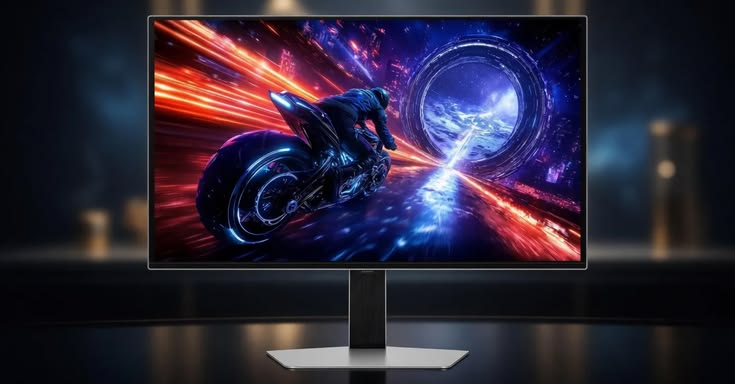
At first glance, the Essential Monitor presents a clean and familiar Samsung design subtle styling, a matte black finish, and slim bezels that help the display feel modern without drawing too much attention. It’s a simple, functional design that fits comfortably into both home and office environments.
However, design alone doesn’t define a good monitor. The key question is how well this 27-inch panel performs in real-world use, particularly for everyday tasks like browsing, document work, and media consumption.
In this review, we take a closer look at the Samsung LS27D300GAMXUE evaluating its display quality, usability, and overall value to determine whether it’s a practical choice in the competitive budget monitor segment.
Full Technical Specifications
Before diving into performance, here’s a complete breakdown of the Samsung Essential Monitor’s specifications:
| Specification | Details |
|---|---|
| Model Number | LS27D300GAMXUE |
| Screen Size | 27″ |
| Panel Type | IPS |
| Resolution | 1920 × 1080 (FHD) |
| Refresh Rate | 60Hz (default), up to 100Hz |
| Response Time | 5ms (GtG) |
| Brightness | 250 nits (typical) |
| HDR Support | None |
| Connectivity | 1× HDMI 1.4, 1× VGA (D-Sub) |
| Design | Flat |
Design & Build Quality
The Samsung Essential Monitor LS27D300GAMXUE features Samsung’s signature black finish, paired with a clean and minimal design that fits easily into both home and office setups. The slim bezels on the top and sides help the 27-inch display feel modern and unobtrusive on a desk.
Around the back, the monitor maintains a simple layout with a clean aesthetic and minimal cable management, helping to keep setups tidy without offering advanced routing options. The display also supports VESA mounting, allowing users to attach it to a monitor arm or wall mount if needed.
The stand is primarily plastic but feels reasonably stable for everyday use. While it doesn’t use premium materials, it provides a solid base with only minor movement when adjusted consistent with expectations in this price range.
Ergonomics
Ergonomics on the Essential Monitor are fairly limited. The stand supports tilt adjustment only, allowing users to make basic viewing angle changes.
While this is sufficient for general use, users who require more flexibility such as height adjustment or multi-monitor alignment may find it restrictive. In such cases, using a VESA-compatible monitor arm is a practical upgrade.
Display Performance
Colour Accuracy & Vibrancy
The Samsung Essential Monitor LS27D300GAMXUE uses an IPS panel, delivering good colour reproduction and wide viewing angles. Colours appear balanced and natural out of the box, making it well-suited for everyday tasks such as browsing, document work, and media consumption.
However, while it performs reliably for general use, it is not designed for colour-critical work like professional photo or video editing.
Resolution & Sharpness
With a resolution of 1920 × 1080 on a 27-inch panel, the monitor offers adequate sharpness for everyday use. Text and images remain clear at typical viewing distances, though the lower pixel density compared to smaller Full HD displays or higher-resolution panels is noticeable up close.
Motion Handling & Refresh Rate
The monitor supports a refresh rate of up to 100Hz, offering smoother motion compared to standard 60Hz displays. This results in more fluid scrolling and a slightly improved experience when viewing fast-moving content.
By default, the display may operate at 60Hz, so users may need to enable the higher refresh rate in system settings. While not designed for gaming, the 100Hz capability adds a noticeable improvement in overall responsiveness for everyday use.
Key Features
Everyday Computing
Web Browsing
Office Work
Light Media Consumption
IPS Panel Technology — Provides consistent colours and wide viewing angles
Full HD Resolution (1920 × 1080) — Suitable for general use, though less sharp on larger screens
Up to 100Hz Refresh Rate — Smoother motion than standard 60Hz displays
Connectivity — 1× HDMI, 1× VGA (D-Sub)
Eye Comfort Features — Flicker-free technology and blue light filter help reduce eye strain
The addition of a 100Hz refresh rate gives the Essential Monitor a slight edge over traditional 60Hz displays, particularly in everyday responsiveness and usability
Who Should Buy the Samsung Essential Monitor LS27D300GAMXUE?
The Samsung LS27D300GAMXUE is a practical choice for users who need a reliable, no-frills monitor for everyday tasks, with the added benefit of a smoother-than-average refresh rate.
Everyday Computing
The combination of a 27-inch screen and Full HD resolution makes it comfortable for general use, including multitasking, document editing, and daily workflows.
Web Browsing & Online Work
The larger screen size improves readability and workspace visibility, while the IPS panel ensures consistent colours and viewing angles, even when working for extended periods.
Office Work & Productivity
For office users, the monitor provides a simple and dependable experience, with adequate sharpness and a refresh rate of up to 100Hz, which makes scrolling and general navigation feel smoother than standard 60Hz displays.
Light Media Consumption
The display performs well for casual content viewing, with balanced colours and decent brightness, making it suitable for YouTube, streaming, and everyday entertainment.
Who Should Look Elsewhere?
- Gamers
While the 100Hz refresh rate is an improvement over 60Hz, this monitor lacks features like high refresh rates (144Hz+) and adaptive sync, making it less suitable for serious gaming. - Content Creators & Designers
Colour accuracy is good for general use, but not precise enough for professional photo or video editing.
How Does It Compare to Similar Monitors?
Context matters when evaluating the Samsung Essential Monitor LS27D300GAMXUE. In the budget segment, it competes not only with other 27-inch displays but also with smaller 24-inch monitors that often offer higher pixel density at a similar price.
📊 Comparison Overview
| Attribute | Samsung Essential Monitor (LS27D300GAMXUE) | LG 24MK430H-B | AOC 24B2XH | Dell E2422H |
|---|---|---|---|---|
| Screen Size | 27″ | 24″ | 24″ | 24″ |
| Resolution | 1920 × 1080 | 1920 × 1080 | 1920 × 1080 | 1920 × 1080 |
| Panel Type | IPS | IPS | IPS | IPS |
| Refresh Rate | Up to 100Hz | 75Hz | 75Hz | 60Hz |
| Strength | Larger screen, smoother refresh | Better pixel density | Budget-friendly | Business reliability |
| Weakness | Lower sharpness | Smaller screen | Basic build | Lowest refresh rate |
The Samsung Essential Monitor differentiates itself not through premium features, but by combining a larger screen with a smoother-than-average refresh rate in the budget segment.
Frequently Asked Questions
Is the Samsung Essential Monitor good for everyday computing?
Yes, the Samsung Essential Monitor LS27D300GAMXUE is designed with students and everyday users in mind. Its IPS panel, Full HD resolution, and refresh rate of up to 100Hz make it well-suited for general tasks such as browsing, office work, and media consumption.
Does the Samsung LS27D300GAMXUE support HDR?
No, the LS27D300GAMXUE does not support HDR. Users looking for HDR capabilities would need to consider higher-end models in Samsung’s lineup.
What cables and ports does the Samsung Essential Monitor include?
The Samsung Essential Monitor (LS27D300GAMXUE) typically includes:
- 1 × HDMI (1.4)
- 1 × VGA (D-Sub)
Connectivity may vary slightly by region, but DisplayPort is not included on this model.
Is the Samsung Essential Monitor compatible with Mac and Windows?
Yes, the LS27D300GAMXUE works with both macOS and Windows systems via HDMI. However, since it does not include USB-C, some modern laptops may require an adapter.
How does the Samsung Essential Monitor compare to similar budget monitors?
The Samsung Essential Monitor stands out in the budget segment by offering a larger 27-inch display and a refresh rate of up to 100Hz, which provides smoother everyday performance compared to many 60Hz or 75Hz alternatives.
However, its Full HD resolution on a larger screen results in lower pixel density, meaning some smaller 24-inch monitors may appear sharper at similar price points.